CHIA SẺ Jailbreak iOS 4.1 on iPhone 4, 3GS with Limera1n

  • Thread starter Thread starter kc9
  • Ngày gửi Ngày gửi

kc9

New member
GÂY DỰNG


Limera1n đã đc ra cho tất cả máy iOS bao gồm: iPhone 4, iPhone 3GS, iPod touch 4G,3G và iPad chạy trên iOS 4.1 và iOS 3.2.2. Limera1n chỉ cho phép chạy window bây giờ. Tuy nhiên Limera1n phiên bản cho MAC/Linux sẽ được ra sớm.

Những hướng dẫn sau sẽ giúp bạn jailbreak iOS4.1 trên iphone 4 và iphone 3GS sử dụng Limera1n

Note: Nếu bạn là máy lock thì không nên up lên iOS 4.1 bây giờ vì nó cũng up baseband của máy, không thể unlock bây giờ( chưa có tool unlock mới). Nhưng sử dụng Tinyumbrella sẽ giúp bạn lên iOS 4.1 mà ko úp baseband (duy nhất iPhone 4) tại đây. Chờ khi Pwnagetool phát hành sẽ giúp bạn làm firmware custom iOS 4.1 với ko nâng basband.

Bước 1 : Tải Limera1n tại đây (Download Beta 3 để jailbreak được iPhone 3GS new botroom nhé)!!!


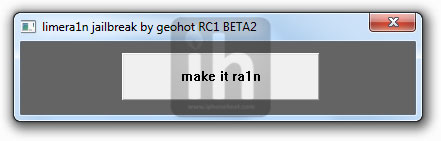
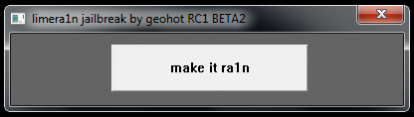
Bước 2 : Kết nối iPhone của bạn với PC và click "make it ra1n" như bạn đã thấy trên màn hình :


Bước 3: Bây giờ theo những bước theo thứ tự :


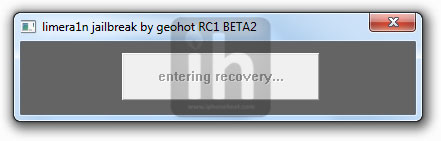
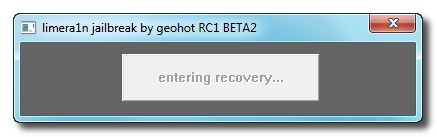
- Bây giờ chờ cho máy của bạn ở dạng recovery mode:


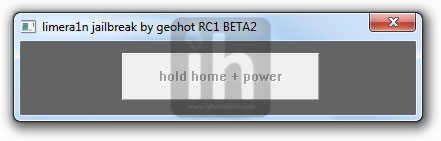
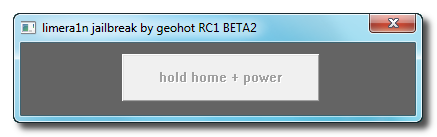
- Bây giờ bấm và giữ nút "Home" + "Power" :


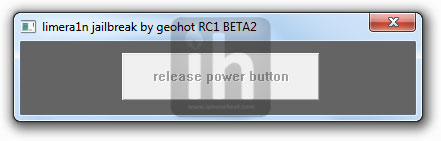
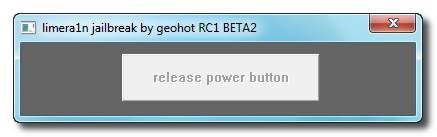
-Thả nút "Power" nhưng vẫn giữ nút "Home":


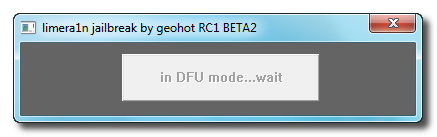
-Bây giờ chờ cho máy của bạn vào được dạng DFU :


Bước 4: Một khi bạn xong ở đây, bạn sẽ thấy biểu tượng Limera1n trên màn hình iphone của bạn. Limera1n bây giờ sẽ sen vào lỗ botroom máy của bạn mãi mãi!!


Bước 5: Jailbreak đã hoàn thành !!!


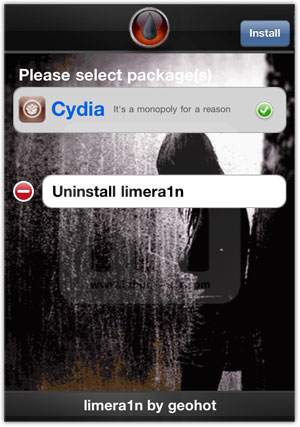
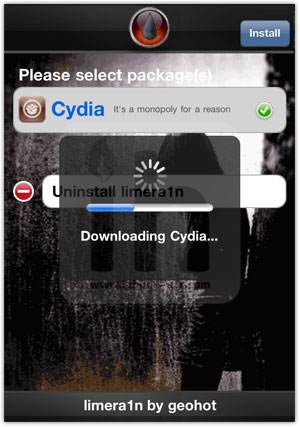
Bước 6: Bây giờ bắt đầu app Limera1n trên iPhone của bạn, và cài đặt Cydia như trong hình dưới:


Bước 7: Và bây giờ restart iPhone của bạn và thư giãn cùng Jailbreak !!!


Chú ý : Bây giờ chưa có cách nào để unlock máy có baseband 05.14.02. Nếu bạn có thể giữ đc baseband cũ bằng Tinyumbrella thì có thể unlock bằng Ultrasnow ở version mới nhất .Limera1n ko hỗ trợ cho máy iOS 4.2 beta. Và xin nhắc lại Limera1n ko phải là tool unlock


Nguồn HIP
 
Update 2: Video after the break! Also, we're hearing that some folks have jailbroken their iPads successfully with limera1n, and we personally got it working quickly on a pair of iPhones with iOS 4.1... but one of the two was missing icons upon restart and didn't regain App Store, Maps, Game Center and Calendar even after a restore. Be careful, now!

Engadget
 
Mình kết nối iphone 4 với máy tính rồi và trước đó đã mở Limeran1 sau đó chọn make it ran1 rồi mà đợi mãi vẫn không thấy hiện lên bước tiếp theo như hướng dẫn.
 
Bản này có dùng được cho iphone 3G bản lock ko anh

Hiện tại ip 3G lock của em Fw3.1.3 BB là 05.11.07

em up lên 4.1 thì liệu có dùng đc bản này ko anh !

giúp em với nhé !

yahoo em là : ngoclazzy
 
How to Jailbreak iPhone 4, 3GS iOS 4.1 with Limera1n

Step 1

Download Limera1n
Step 2

Execute the downloaded Limera1n.exe and hit the make it ra1n button

Step 3

Now connect your iPhone 4 / iPhone 3GS

Your device will go into Recovery Mode

Step 4

Hold down the Home + Power buttons.

Release the Power button and keep holding the Home button.

You iPhone 4/3GS will now be in DFU Mode. Then Limera1n logo will appear on your iPhone screen.
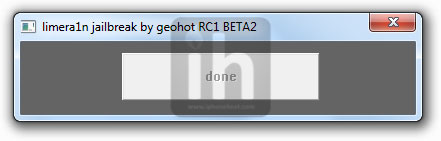
The follow message will appear when Limera1n is done with the jailbreak process

Step 5

Open the Limera1n app from your iPhone home screen and install Cydia from there. Once Cydia is installed, Reboot your iPhone and you’re Done!

Have Fun!
Vai tấm hình minh họa để anh em dễ hình dung đó :D
 
Bản này có dùng được cho iphone 3G bản lock ko anh

Hiện tại ip 3G lock của em Fw3.1.3 BB là 05.11.07

em up lên 4.1 thì liệu có dùng đc bản này ko anh !

giúp em với nhé !

yahoo em là : ngoclazzy

iPhone 3G lock KHÔNG dùng đc tool này nhé, muốn dùng 4.1 chỉ có thể dùng FW Custom. iphone 3G lock của mình cũng đang chết dí đây
 
iPhone 3G lock KHÔNG dùng đc tool này nhé, muốn dùng 4.1 chỉ có thể dùng FW Custom. iphone 3G lock của mình cũng đang chết dí đây
Theo thông tin của nhóm Dev team thì sắp có tool xịn cho os 4.1 rồi đó(Ban đầu dự tính sẽ ra vào ngày 10/10 :-?) . Bác cứ yên tâm đi :D
 
Thành công rồi. Cảm ơn nhiều.

Đã JB thành công 3Gs, world, BB 05.12.02
Sướng quá!
Thanks các bác.
 
lằng nhằng 1 lúc, em mang béng ra nhật cường, 200K, mọi nỗi đau được giải quyết..................
 
Nếu iphone4 khi JB các bác nhớ vẫn bật ITUNES nhé, tránh lỗi ko hiện icon.
Ảnh đã được sửa lại cho hiện lên rùi nhé
 
Moments ago, we posted that Limera1n was released to jailbreak all iOS 4.1 devices forever. We promised with how-to guides and here we go, you can now use the step by step guide below to jailbreak iPhone 4 and iPhone 3GS using Limera1n on Windows only.
http://draft.blogger.com/post-edit.g?blogID=5510311478437062140&postID=3155938731954071476
Here's the instructions to jailbreak iPhone 4, 3GS on iOS 4.1 using Limera1n, PLEASE read the important notes at the end of the post:

STEP 1: Download Limera1n for Windows from here.

STEP 2: Connect your iPhone to your PC via USB then launch Limera1n and hit “make it ra1n”

STEP 3: You will have to get your device into DFU mode by following the steps on the screen shown by Limera1n.

  • You iPhone will now be placed in recovery mode.
  • Press both the power and the home buttons.
  • When Limera1n asks you to, release the power button.
  • Your phone will now be in DFU mode
STEP 4: Now, Limera1n app should be shown on your iPhone's home screen. Limera1n will pwn your device forever now.

STEP 5: The jailbreak should be done now. Tap on the limera1n icon on your device and install Cydia.

IMPORTANT:
You have to keep some points in your mind, first, Limera1n will not unlock your device (i.e. you will lose unlock if you upgraded to iOS 4.1 and used limera1n).

Second, Limera1n is not working with old bootrom devices and it doesn't support iOS 4.2 beta, Geohot is fixing the issues right now. Stay tuned.

Limera1n would mess up GreenPois0n jailbreak release as the teams don't want to give Apple two exploits. They would better save one of them to 5th-generation devices.
Watch This Video After break ;)


Just stay tuned with us for any Updates on
 
Back
Top